
Ozwin login: sign in and troubleshoot access
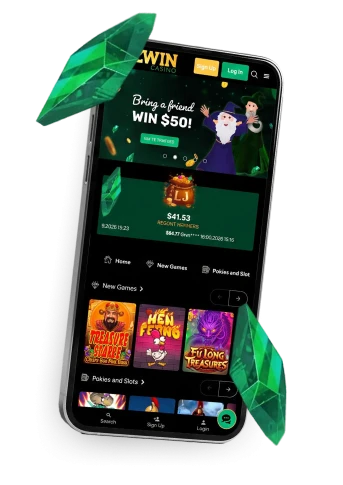
Ozwin login starts with Log In if you already have an account. Sign Up is for creating one, not for getting back into an existing account. If sign-in fails, check your entry and browser first; our LiveChat and email support are available if you remain locked out.

Ozwin casino login for existing accounts
The Ozwin casino login is the existing-account route. On the Ozwin casino homepage, choose Log In rather than Sign Up, then enter your usual account details. You can use the same distinction to orient yourself when returning on another device; there is no need to register again just because you are signing in somewhere new.
We allow one real-money account per player name. Duplicate accounts can be closed or merged, and related winnings can be voided. If you cannot access your account, resolve the access problem rather than opening another one.
Check a failed sign-in before contacting support
Start with the details you normally use, then rule out common typing and browser errors. These checks do not require you to change your account or create another one:
- Re-enter your details carefully, checking for accidental spaces, Caps Lock and a changed keyboard layout.
- If your browser filled in the details, try entering them manually. A saved value may be out of date.
- If the page is not responding as expected, check whether a browser setting or extension is interfering, or try another browser.
- If access still fails, contact our support through LiveChat or email. Do not send your password in a support message.
Both channels are available 24/7; our email response target is 24–48 hours. When you contact us, describe what happens when you try to sign in and which device and browser you are using.
Sign Up is for a new account
If you do not yet have an account, registration starts with Sign Up, not Log In. The basic sequence is:
- Choose Sign Up from the homepage.
- Provide the requested personal details, such as your name and address.
- Complete registration; the account is ready to use once signup is complete.
Account creation is distinct from qualifying for a promotion. If you are considering a no-deposit offer, review its conditions on our Ozwin casino no deposit bonus page before claiming it.
Verification is separate from signing in
We may request identity, address, payment or source-of-funds documents, and withdrawals can be suspended while verification is pending. The documents requested can vary by account and deposit method.
Examples include colour government photo ID, a selfie holding government ID next to your face, and proof of address such as a utility bill or bank or card statement no older than three months. If you have signed in successfully but a withdrawal is awaiting checks, focus on the verification request rather than troubleshooting your login.
FAQ
Can I sign in on my phone without an app?
Yes. We offer browser-based mobile access on Android and iOS, and there is no Ozwin casino app. Open the site in your mobile browser and choose
Log In
for an existing account.
Should I create another account if I cannot sign in?
No. Use Log In for your existing account and work through the entry and browser checks first. Our terms allow one real-money account per player name; duplicate accounts may be closed or merged and related winnings may be voided.
What should I include when I contact support about sign-in?
Tell our support team what happens when you try to sign in and which device and browser you are using. Do not send your password in a support message. LiveChat and email are listed as available 24/7; the stated email response target is 24–48 hours.